
The boring ways I use AI
21 July 2026

There is a lot of chest-thumping around AI. “AI changed my life” posts on X, influencers running demos, shiny tools everywhere.¹
I seem average by comparison. One of those smiling but exhausted people described in Noam Segal and Lenny’s latest research on how tech workers are feeling about AI. And when I looked honestly at what AI has actually done for me, my lived experience, it looked pretty different from the 100x folks on X.
So here’s how I actually use AI. Not to impress. Just to get shit done. Which means it can be quite boring and unimpressive (sorry).
1) Speed: getting thoughts out faster with Wispr Flow
Wispr Flow really works for me. I talk to the machine and it translates voice into text. Minimal typing. My full thoughts, in digital form, almost as fast as I can think them. That alone changed my input speed. Thinking out loud also helps with clarity of thought.
2) Clarity: thinking before building with PM OS
Speed of input is one thing, but fast garbage is still garbage. To me, clarity of thought is the harder problem. Getting down to the why, why, why, and staying logical and coherent.
For product building, I use PM OS. It is a structured repo that acts as a product thinking partner, packed with frameworks, skills, and knowledge, and grounded in your context. PM OS has 242 skills, 10 sequenced workflows, 12 sub-agents, and about 350 knowledge files.
The key context lives in these files:
COMPANY.md→ Company overview, mission, business model, key metrics, competitors.PRODUCTS.md→ Product portfolio, current stage, roadmap, KPIs, and priorities.GOALS.md→ Company goals, product OKRs, quarterly objectives, and success metrics.TEAM.md→ Team structure, roles, stakeholders, communication style, and decision-making.CONSTRAINTS.md→ Budget, timeline, technical limitations, available resources, and key constraints.
There’s no need to repeat myself every time or worry that the agent will forget key context. You can customize and add new context files if you want (you’d have to edit AGENTS.md to include them).
PM OS carries a knowledge base and skills that trigger based on what I ask in plain English. This is helpful because the framework and knowledge use is on point. If you already know what you need, use slash commands to trigger specific skills. Or else, just write in plain English and it should lead to the right knowledge and skills.
🧠 Knowledge/
├── Frameworks/
│   ├── discovery/      # 69 frameworks  (JTBD, Lean Canvas, OST, Wardley Maps…)
│   ├── validation/     # 33 frameworks  (A/B test design, Kano, Wizard of Oz…)
│   ├── build/          #  8 frameworks  (RICE, Shape Up, stakeholder scoring…)
│   └── grow/           #  8 frameworks  (Hooked Model, North Star, GTM…)
├── Prioritization/     # 50 frameworks  (ICE, GIST, DHM, BRICE, Kano…)
├── Interview-Questions/# 100 questions  (6 categories)
├── Metrics/
│   └── north-star-examples/ # 41 real company examples
├── PM Tasks/           # 25 practice drills
└── Resources/
    ├── pm-excellence-clusters.md  # 7 PM behavioral clusters (Cutler research)
    └── Lenny-Newsletter/    # 260 curated articles (indexed)
What I like most about PM OS is that it questions me back. That accountability brings real clarity. And because there’s less room for “I don’t know what I don’t know,” work that used to take me one to two weeks now takes a few days. Kudos to George Nurijanian for building this. I tried a few systems, and PM OS is the one that suited me. If it didn’t exist I’d have built something similar.
Very important to emphasize: PM OS doesn’t replace your thinking. It sharpens it. The human in the loop is you. The critical trade-offs, the conviction bets on what to ship, those remain yours to make.
3) Cursor for work, because I want to review and think
I run PM OS on Cursor. I like being able to see the docs the agent creates, and I read them closely (I “⌘ + L” quite a bit). Not just the PRD or specs, but also the context files, checking that everything is accurate and up to date. Routine human checks matter, I think. I also like that Cursor lets me change models and bring my own API keys, so I don’t feel stuck with any one lab.
So yes, Cursor is for the heavy stuff. Product and business logic for TickerTown, built together with Ian, sit in a mono repo so agents have full context.
4) Antigravity IDE and OpenClaws for personal tasks
For personal projects like household finance, investing tools, writing, voice codex, and my personal site, I use Antigravity IDE. Kept separate on purpose.
I also have three OpenClaws bots running on a Mac mini.
Chief Wee is a personal PA and coach: goals, schedule, tasks, occasional research, and my gratitude list. It finds patterns I’d probably miss if left to my own devices.
Chef Bob handles family meal prep. Every week, it asks what ingredients we have, who’s eating, what preferences we have, then helps us iterate ideas from a recipe bank. It may also suggest new recipes based on our input. It makes groceries easy to tabulate and forward.
The third is Calm, a parenting bot with our family goals, our profiles, and the kids’ profiles. It’s fairly new so we haven’t fully used it yet. But one thing is already useful: at a point of intense frustration, instead of doing something I’d regret, I walk away and speak to Calm through Wispr Flow. Just give it an incident update. That usually helps me slow down, and its suggestions on what to do next are grounded, useful on-the-spot advice.
5) Codex for vibe coding
For pure vibe coding, just exploring something quickly to see and feel it, I use Codex. No PRD, no full context, no pressure. If it’s worth keeping, I’ll pull the repo into Cursor, clone PM OS, and get more deliberate.
6) Design
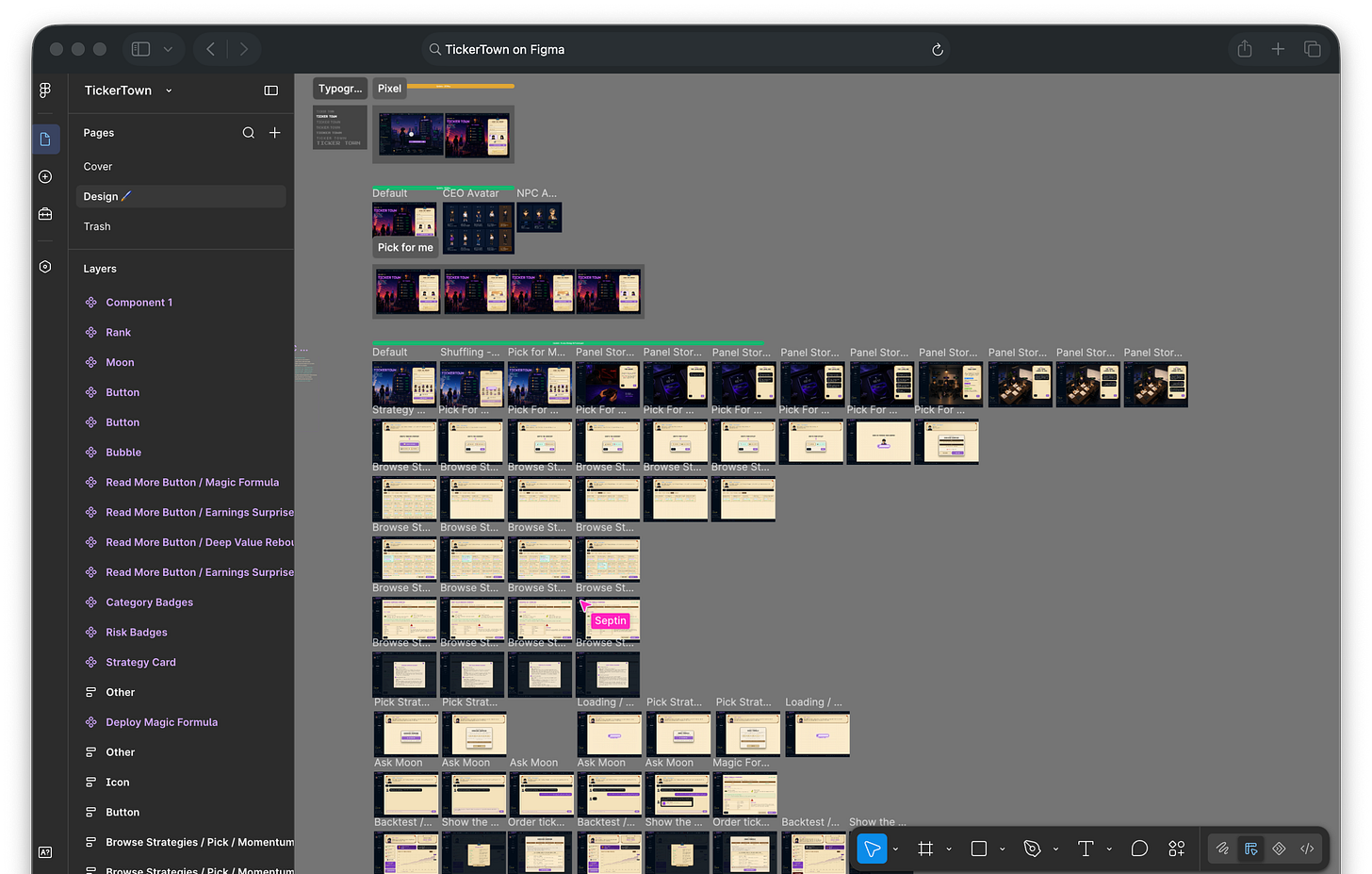
Figma. Not quite AI, and yeah, I’m boring here. I still like to go deep into designs, so Figma is where I work with our freelance designer on TickerTown. I do wireframing with ASCII diagrams (works great because of PM OS skill) and vibe mocks on Cursor (50/50, sometimes great). I’m planning to try Impeccable or Taste Skill when I get a chance.
There’s a lot more for me to explore, upgrade, and work on. But I’m content where things are, and I don’t want to overspend time chasing the latest tools and skills (that takes up significant time on its own and makes me tired).
Ian is building the engineering loop bit, so our mono repo is far from complete.
As you can see, my setup is boring. But it sharpens my thinking, improves my decision making, and gets shit done.
—
¹ Read Elena Verna’s Please stop the AI Confidence Theater and Guillermo Rauch’s post.